How to set DNS over TLS on Android
Android 11+
Android 11 and later versions have built-in support for DNS over TLS via the Private DNS feature.
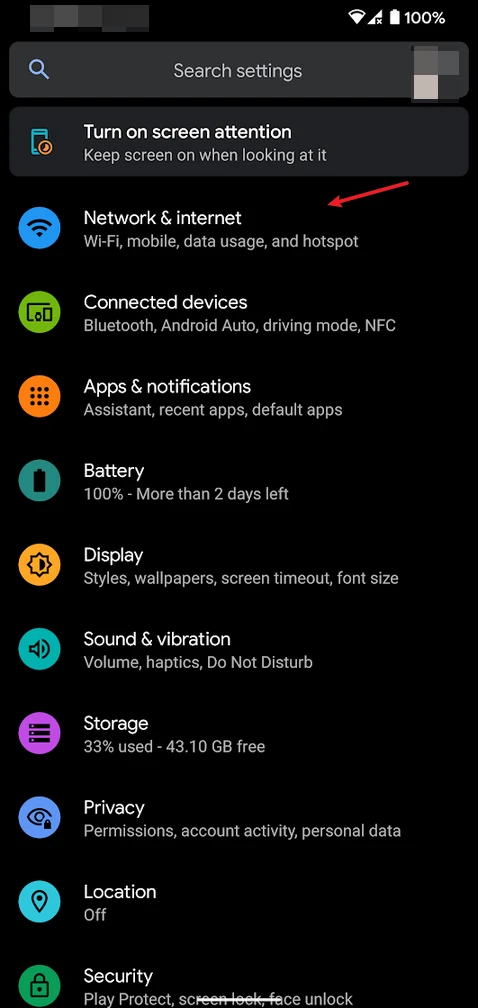
Open Network Settings
Go to Settings and open Network & internet:
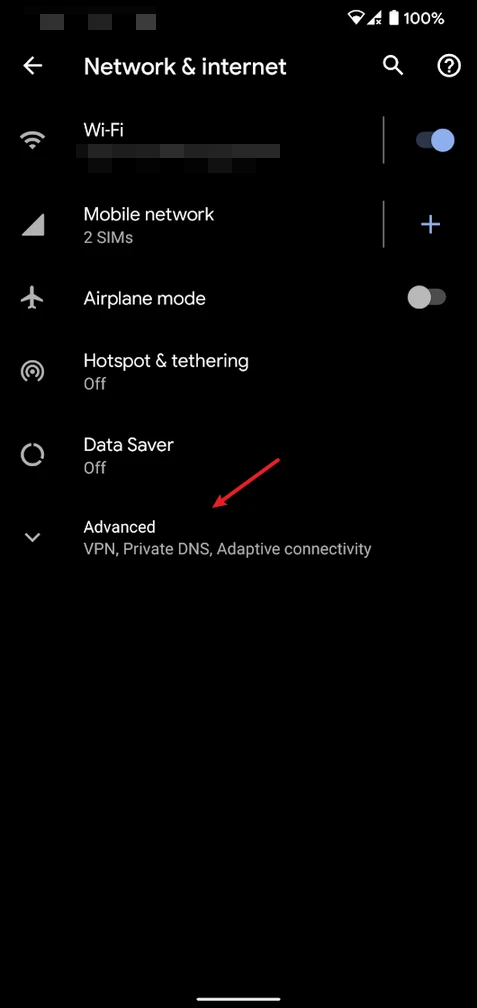
Access Advanced Options
Tap Advanced:
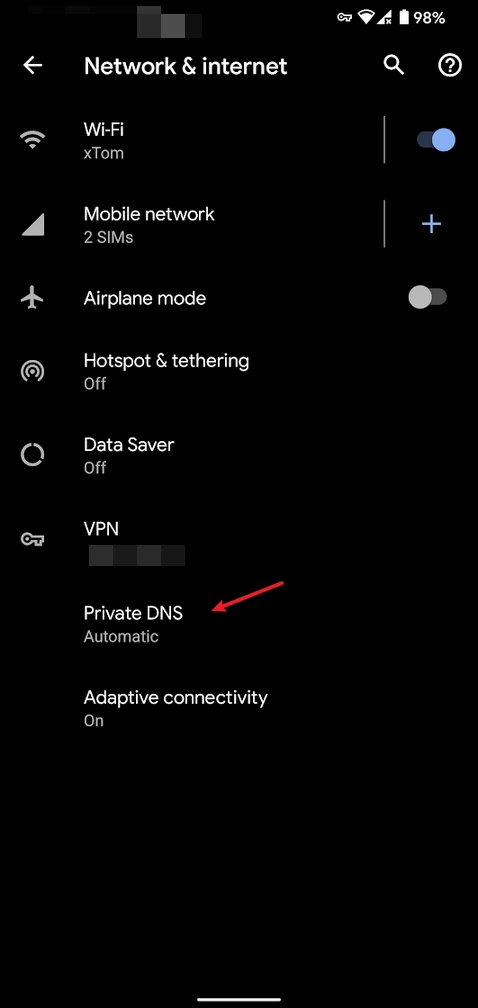
Open Private DNS Settings
Tap Private DNS:
Configure DNS.SB
- Select
Private DNS provider hostname - Enter the following hostname:
Terminal
dot.sb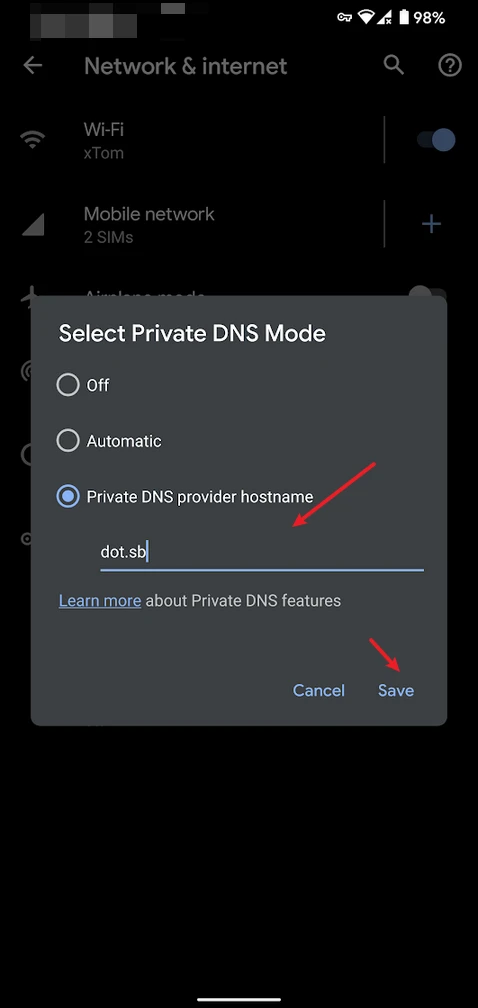
- Tap
Save
Alternative Apps
Nebulo
Nebulo is a free, open-source, no-root, lightweight DNS client for Android that supports DNS-over-HTTPS, DNS-over-TLS, and DNS-over-QUIC protocols with emphasis on privacy and security.
Intra
Intra protects you from DNS manipulation, a type of cyber attack used to block access to news sites, social media platforms, and messaging apps.
Last updated on